
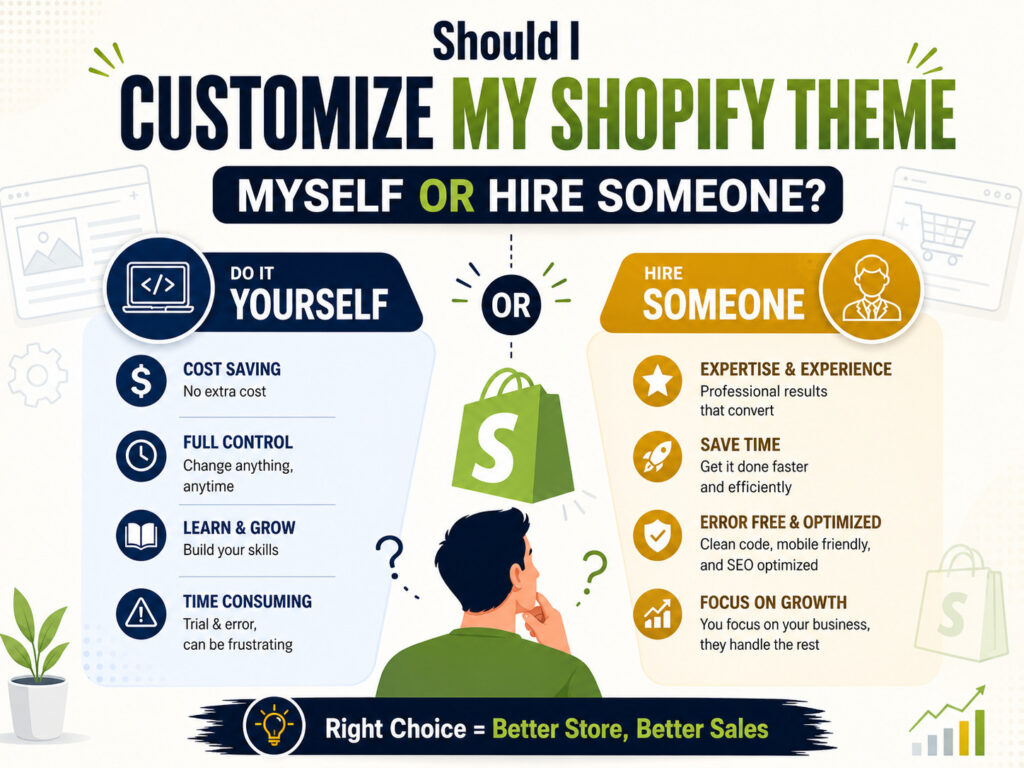
Should I Customize My Shopify Theme Myself or Hire Someone?
This question comes down to one honest trade-off: your time and risk tolerance versus your budget. Shopify was genuinely built to let non-developers make real changes — swapping colors, rearranging sections, editing text, and adding pre-built blocks — all without touching a line of code. For a lot of stores, that’s more than enough.
But Shopify themes are built on Liquid, a coding language, underneath that friendly editor. The moment you want something the editor doesn’t offer natively — a custom product filter, a non-standard checkout flow, a layout your theme wasn’t designed for — you’re in code territory, and mistakes there can affect your entire live store, not just one page.
What You Can Safely Customize Yourself
Can I customize Shopify without hiring a developer?
Yes, for a meaningful range of changes. Most modern Shopify themes (especially Online Store 2.0 themes) give you drag-and-drop control over a lot more than people expect:
- Colors, fonts, and overall brand styling
- Homepage layout and section order
- Adding pre-built sections (testimonials, image galleries, FAQs)
- Basic product page layout adjustments
- Navigation menus and footer links
- Adding apps for reviews, upsells, or email capture
If your list of changes looks like this, DIY customization through the theme editor is often genuinely the right call — no need to pay a developer for something the built-in tools already handle well.
When You Should Hire a Developer Instead
Why is customizing Shopify so hard past a certain point?
The theme editor is intentionally limited — it protects you from breaking things, but that same guardrail means it simply can’t do everything. Past a certain point, real Liquid code, custom CSS, or JavaScript becomes unavoidable. That’s usually where DIY customization starts costing more time than it saves.
🔧You need a custom checkout or cart experience. Anything beyond Shopify’s standard checkout flow typically requires development work and Shopify Plus in many cases.
🔧You want custom product filtering or search. Advanced filtering by multiple attributes usually needs custom Liquid or a properly configured app plus code adjustments.
🔧You’re merging design elements from multiple themes. Combining features from different themes into one cohesive design almost always means custom coding, not just settings changes.
🔧You need the site to look identical across page types. Custom layouts that need to work consistently across dozens of product and collection pages benefit from a developer setting up reusable code, not manual repetition.
🔧Your store depends on speed and SEO. Poorly written custom code is one of the most common causes of slow Shopify stores — an experienced developer knows how to customize without tanking performance.
What Can Go Wrong With DIY Customization
Why did my Shopify theme break after an update?
This is one of the most common frustrations store owners run into. If you’ve edited theme code directly and then the theme (or an app you use) pushes an update, your custom changes can conflict with the new code — sometimes breaking layout, checkout, or mobile display without any obvious error message.
Other common DIY risks include:
- Editing the wrong theme file and affecting pages you didn’t intend to change
- Custom code that works on desktop but breaks on mobile
- Losing changes because they weren’t made in a duplicate theme first
- Slower page speed from unoptimized custom code or scripts
- Apps and custom code conflicting with each other in ways that are hard to diagnose
None of these are reasons to avoid customizing your store — they’re reasons to know your limits and duplicate your theme before making risky changes, or bring in a developer once the changes get complex enough.
Cost Comparison: DIY vs Hiring a Developer
| Approach | Typical cost | Best for |
|---|---|---|
| DIY (theme editor + apps) | $0–$100/month in app fees | Visual changes, layout tweaks, basic branding |
| Freelance developer (hourly) | $15–$80/hour | Specific custom features, one-off fixes |
| Shopify agency | $500–$5,000+ per project | Full custom design, ongoing support, complex builds |
For a full breakdown of what drives Shopify pricing up or down — theme choice, product count, custom features, and country-by-country developer rates — see our complete Shopify website development cost guide.
It’s also worth weighing the cost of your own time. If a “simple” DIY customization eats an entire weekend and still doesn’t look right, a $150–$300 fix from a freelancer often works out cheaper than it first appears.
Decision Checklist
✅ DIY Is Probably Fine If…
- Changes are visual: colors, fonts, images, spacing
- You’re using the theme editor, not editing code directly
- You’ve duplicated your theme before making changes
- Your theme’s built-in sections cover what you need
- You have time to test on both desktop and mobile
🚩 Hire a Developer If…
- You need custom Liquid code or JavaScript
- Changes touch checkout, cart, or multiple templates
- You’re combining elements from different themes
- Site speed or SEO performance matters to the outcome
- A previous DIY attempt broke something you couldn’t fix
Frequently Asked Questions
Should I customize my Shopify theme myself or hire someone?
It genuinely depends on the complexity of the change you’re making. Simple visual edits — colors, fonts, images, section order — are safe to handle yourself through Shopify’s built-in theme editor, and there’s no need to pay a developer for something the editor already does well. Custom Liquid code, checkout changes, or edits that touch multiple templates are a different story: a small mistake there can affect your entire live store, not just one page. In those cases, hiring a developer is usually safer and, once you factor in your own time, often cheaper in the long run than a DIY attempt that goes sideways.
Can I customize Shopify without hiring a developer?
Yes, for a meaningful range of changes. Modern Shopify themes, especially Online Store 2.0 themes, give store owners real drag-and-drop control over layout, sections, colors, fonts, and navigation without touching any code. You can also extend functionality significantly through apps for reviews, upsells, email capture, and more. Where DIY starts to break down is anything requiring custom Liquid code, non-standard checkout flows, or layouts your theme wasn’t built to support. If your list of changes is mostly visual and structural rather than functional, the built-in editor is often genuinely enough — no developer required for that stage.
Why is customizing Shopify so hard past a certain point?
Shopify’s theme editor is intentionally limited — that limitation is actually a safety feature, protecting store owners from accidentally breaking their live site. But it also means the editor simply can’t do everything a growing brand eventually wants: custom filtering, unique checkout experiences, merged design elements from multiple themes, or layouts that need to behave consistently across hundreds of product pages. Past that point, real code becomes unavoidable, and that’s usually the moment DIY customization starts costing more time and stress than it saves. At Fennel Infotech, this is the exact inflection point where most of our Shopify customization clients reach out.
Why did my Shopify theme break after an update?
This is one of the most common frustrations Shopify store owners run into. If custom code was edited directly inside theme files, a later theme or app update can conflict with those changes — sometimes breaking layout, checkout, or mobile display without any obvious error message pointing to the cause. The safest habit is duplicating your theme before making any code-level changes, so you always have a working backup to roll back to. If you’re not comfortable digging through Liquid files to diagnose what broke, a developer can usually trace and fix it faster than trial-and-error troubleshooting on your own.
What’s the difference between the Shopify theme editor and custom code?
The theme editor is a visual, drag-and-drop interface built into every Shopify theme — it lets you rearrange sections, edit text, swap images, and adjust colors without writing anything. Custom code means directly editing a theme’s underlying Liquid, CSS, or JavaScript files to create functionality or layouts the editor doesn’t offer natively. The editor is safer and faster for visual changes; custom code is more powerful but riskier, since a syntax error or conflict can affect your entire storefront rather than just one section.
Shopify apps vs custom code — which is better for customization?
Apps are usually the better starting point: they’re built and maintained by developers, tested across many stores, and don’t require you to touch code directly. Custom code becomes worth it when no app does exactly what you need, when you’re trying to reduce app bloat and page-speed impact, or when you need tight design control an app’s default settings can’t match. Many strong Shopify builds use a mix of both — apps for common, well-solved problems, and custom code for the specific features that make a brand’s experience unique.
Can you fully customize a Shopify theme?
Almost anything is technically possible with enough custom development — Shopify themes are flexible at the code level, and experienced developers regularly build fully bespoke designs on top of the platform. The more realistic question is usually cost and maintenance: highly custom themes take longer to build, cost more upfront, and require more care during future updates than a lightly customized off-the-shelf theme. For most growing D2C brands, a strong middle ground — a solid base theme with targeted custom sections — delivers most of the benefit of a fully custom build without the full price tag.
How do I undo a Shopify theme customization?
If the change was made through the theme editor, Shopify keeps recent versions accessible under your theme’s edit history, so you can usually revert within the editor itself. If the change involved direct code edits and you didn’t duplicate your theme first, undoing it is harder — you’d need to manually reverse the specific Liquid, CSS, or JavaScript changes. This is exactly why duplicating your live theme before any code-level customization is such an important habit: it gives you a clean, working copy to fall back to instantly if something breaks.
How much does it cost to customize a Shopify website?
DIY customization through the theme editor is largely free beyond your existing app subscription costs. Hiring a freelancer for specific custom features typically runs $15–$80 per hour depending on experience and location, while a fuller custom design project through an agency can range from a few hundred to several thousand dollars depending on complexity. For a complete breakdown by store size, product count, and country-by-country developer rates, see our detailed Shopify website development cost guide.
Is it worth paying someone to customize my Shopify theme?
Often yes, once the customization involves code, checkout changes, or anything that could affect site speed or SEO. A poorly executed DIY change can quietly cost more in lost sales or lost time than a developer’s fee would have. That said, it’s not worth paying for changes the built-in editor already handles well — the smartest approach is knowing which category your specific change falls into before deciding. Fennel Infotech offers a quick, no-obligation look at exactly that, so you’re not guessing which route makes sense for your store.
Final Thoughts
There’s no universal right answer to should I customize my Shopify theme myself or hire someone — it genuinely depends on what you’re trying to change. Simple, visual, editor-based changes are a great place to start on your own. But once code, checkout, or performance are involved, the safer move is usually a developer who can make the change without risking the store you’ve already built.
Not Sure Which Category Your Changes Fall Into?
Send us a quick description of what you’re trying to customize and we’ll give you an honest answer — DIY-friendly or worth hiring out — before you spend a weekend on it.
- Free customization consultation
- Custom Shopify theme development
- Liquid code & checkout customization
- Theme troubleshooting & fixes after a broken update